 Sellissimo
E-commerce for Statamic 6
Your store,
inside Statamic.
Sell physical products and private downloads from your Statamic site. Manage your catalog, take orders, and ship from the Control Panel you already know.
Read the quickstart
Coming to the Statamic Marketplace

Physical products
Manage stock, variants, and shipping.
Digital downloads
Deliver private files after payment.
Mixed orders
Sell products and downloads in one checkout.
From catalog to fulfillment.
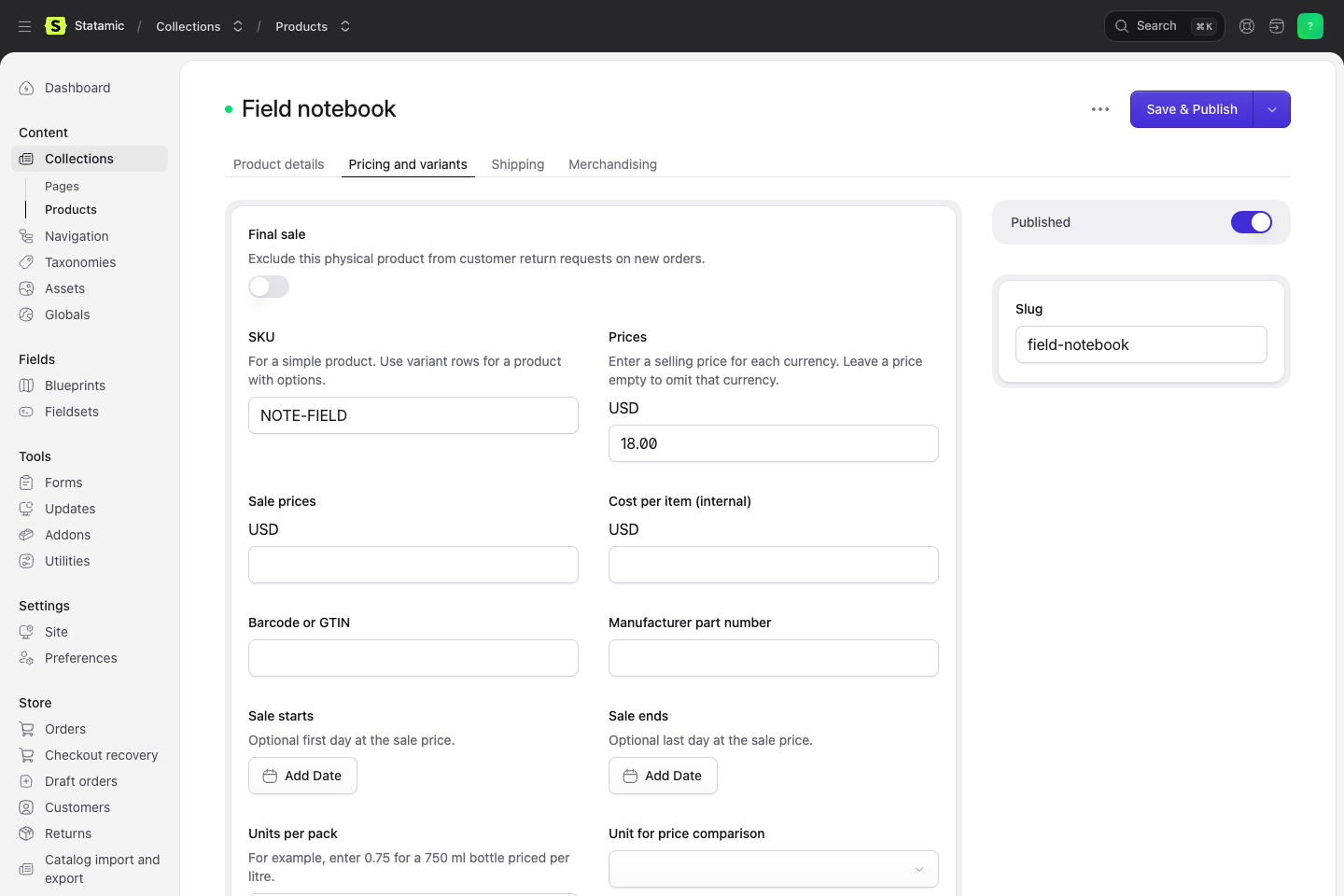
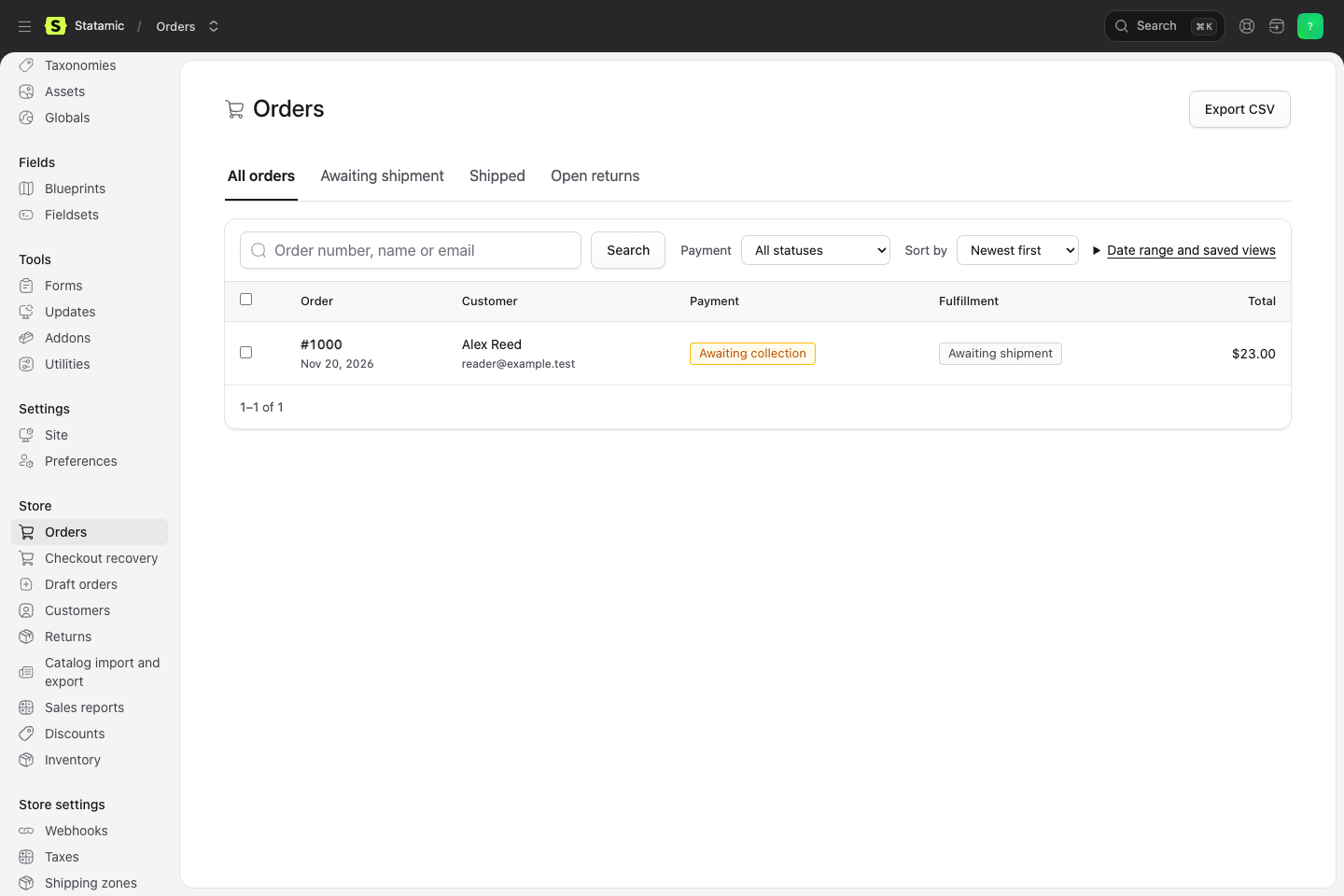
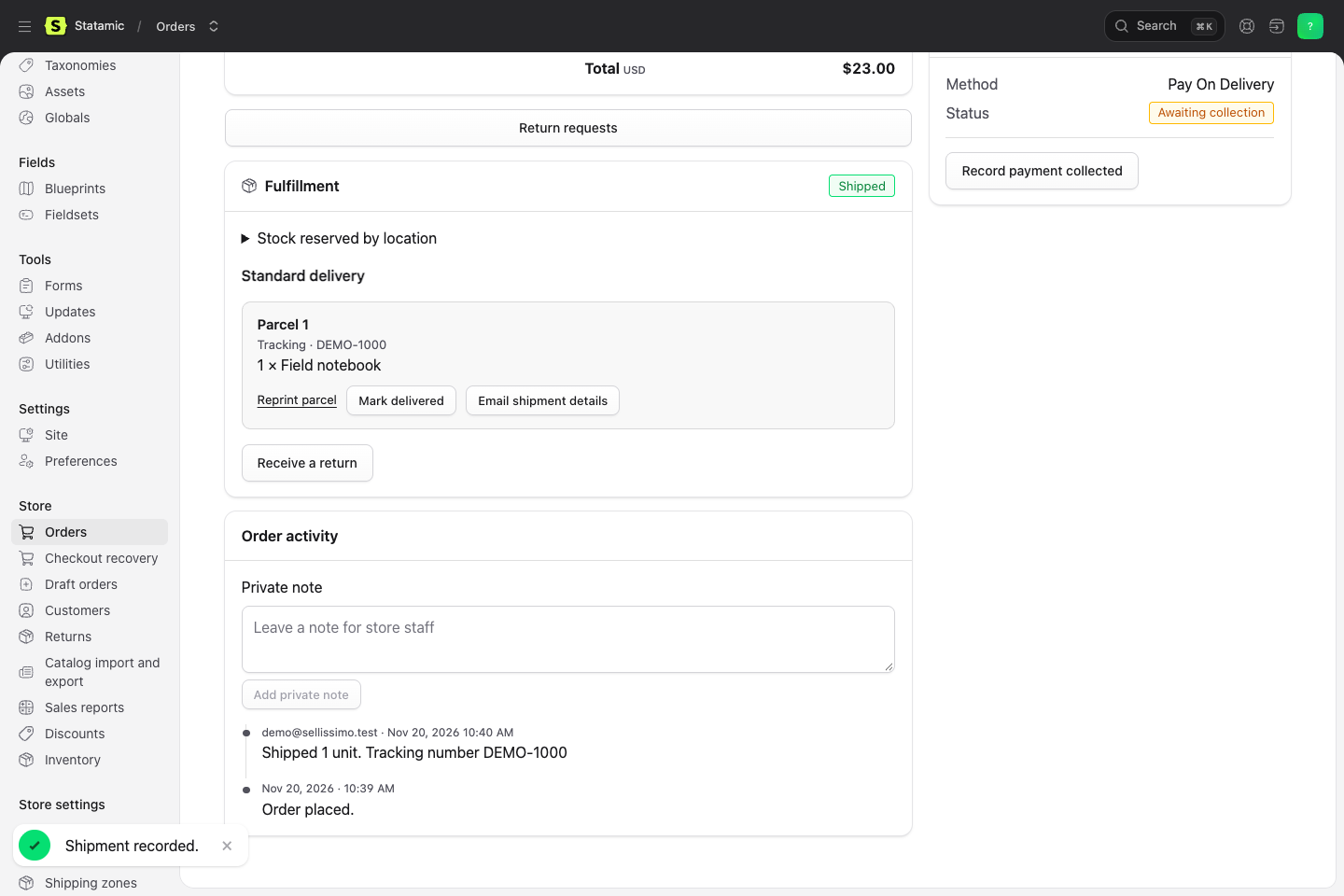
Follow a field notebook from its first price to its first parcel. These are the screens your store team will use.
Build your first store.
Start with a test order or jump straight to the guide for your next task.